How to Use an eSIM: A Simple Guide for iPhone and Other Devices

  • Technology

5-min read

How to Use an eSIM: A Simple Guide for iPhone and Other Devices

Travel eSIM: How to Use It in 2025 And Why You’ll Love It

  • So, you’ve heard about eSIM technology, or maybe even purchased one, but now you’re wondering:
    • How do you actually use an eSIM?
    • What’s the difference between an eSIM and a regular SIM card?
    • And how to use eSIM in iPhone or other phones?
  • You’re not alone. As travel eSIM adoption grows worldwide, more users are asking these questions. In this guide, we’ll explain:
    • How to use an eSIM step-by-step
    • How to use an eSIM on iPhone
    • What phones support eSIM
    • How to use an eSIM specifically for mobile internet only
    • Why RedDogFish is a top choice for fast eSIM data
  • Let’s dive in.

What Is an eSIM, and How Do You Use It?

  • eSIM stands for “embedded SIM.” Unlike a physical SIM card, an eSIM is a small chip that’s built into your phone or tablet. It performs the same function — giving your device access to mobile networks — but without the need to insert or remove anything.
  • So, how do you use an eSIM?
  • By scanning a QR code or using an activation code from your eSIM provider. The entire process is digital, instant, and wireless.
  • No shipping delays. No plastic cards. No visits to a store.
  • If you’re using RedDogFish, you can get your travel eSIM in minutes and connect to mobile internet in over 190 countries.

How to Use an eSIM: General Steps for Any Device

  • Here’s a universal step-by-step guide to help you understand how to use an eSIM on modern smartphones and tablets:
  • 1. Check if Your Device Supports eSIM

  • Before using an eSIM, make sure your device is compatible. Wondering which phones can use an eSIM? See below — we’ve got a full list.
  • 2. Choose a Provider

  • To use an eSIM, you’ll need to purchase a data plan. RedDogFish offers prepaid mobile internet eSIMs — no contracts, just reliable, fast data.
  • 3. Receive Your eSIM

  • Once you purchase your eSIM, you’ll receive a QR code or activation details via email. This allows you to install your eSIM profile onto your device.
  • 4. Activate the eSIM

  • Tap or scan the QR code with your device and your travel eSIM will be ready within minutes. No reboot needed — you’re instantly connected.

How to Use an eSIM on iPhone

  • A huge portion of eSIM users ask: how to use eSIM on iPhone?
  • Here’s your quick-start guide:
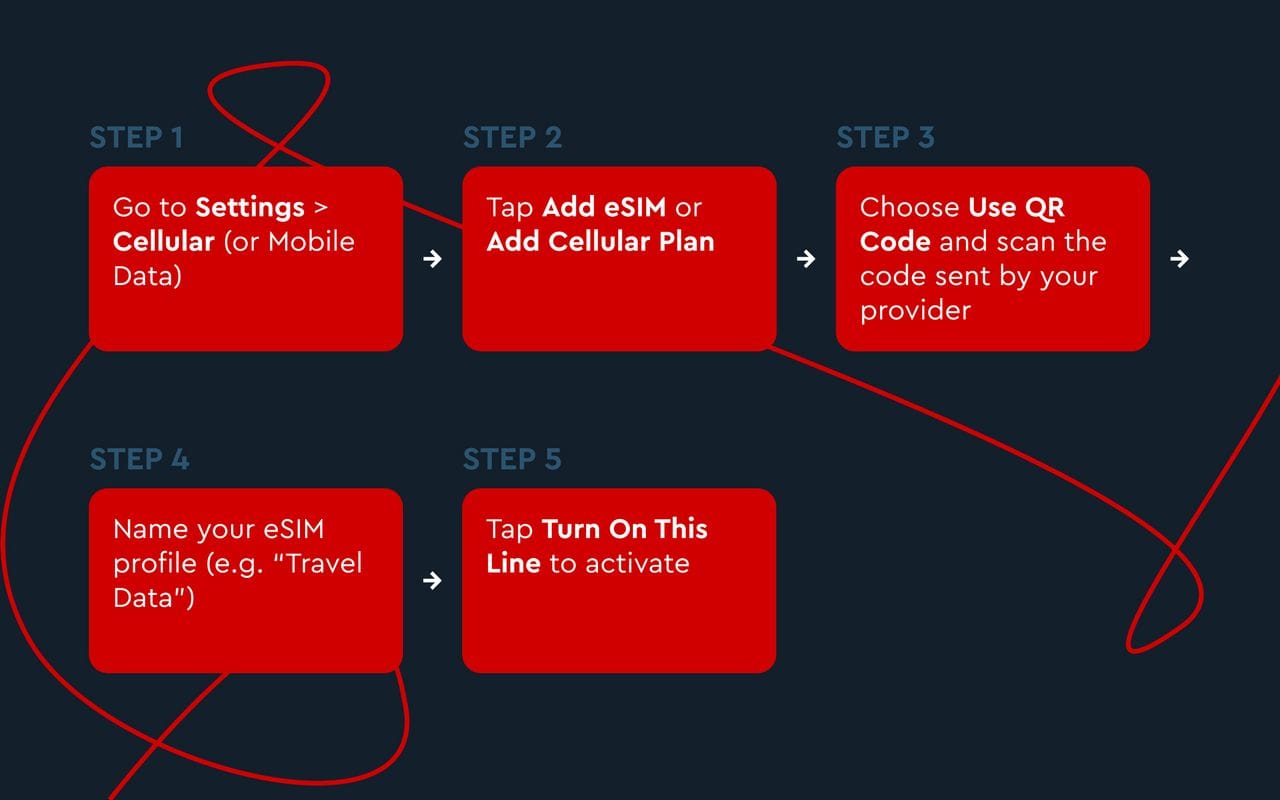
    1. Buy online at RedDog.fish
    2. Receive a QR code instantly
    3. Tap or scan the QR code
    4. Turn on eSIM
    5. Done! You’re connected.
    3

  • Now your travel eSIM is live, and you can start using mobile internet immediately. If you still have questions, please visit our installation guide.
  • Tip: You can use your RedDogFish eSIM for data, and keep your primary SIM active for calls.
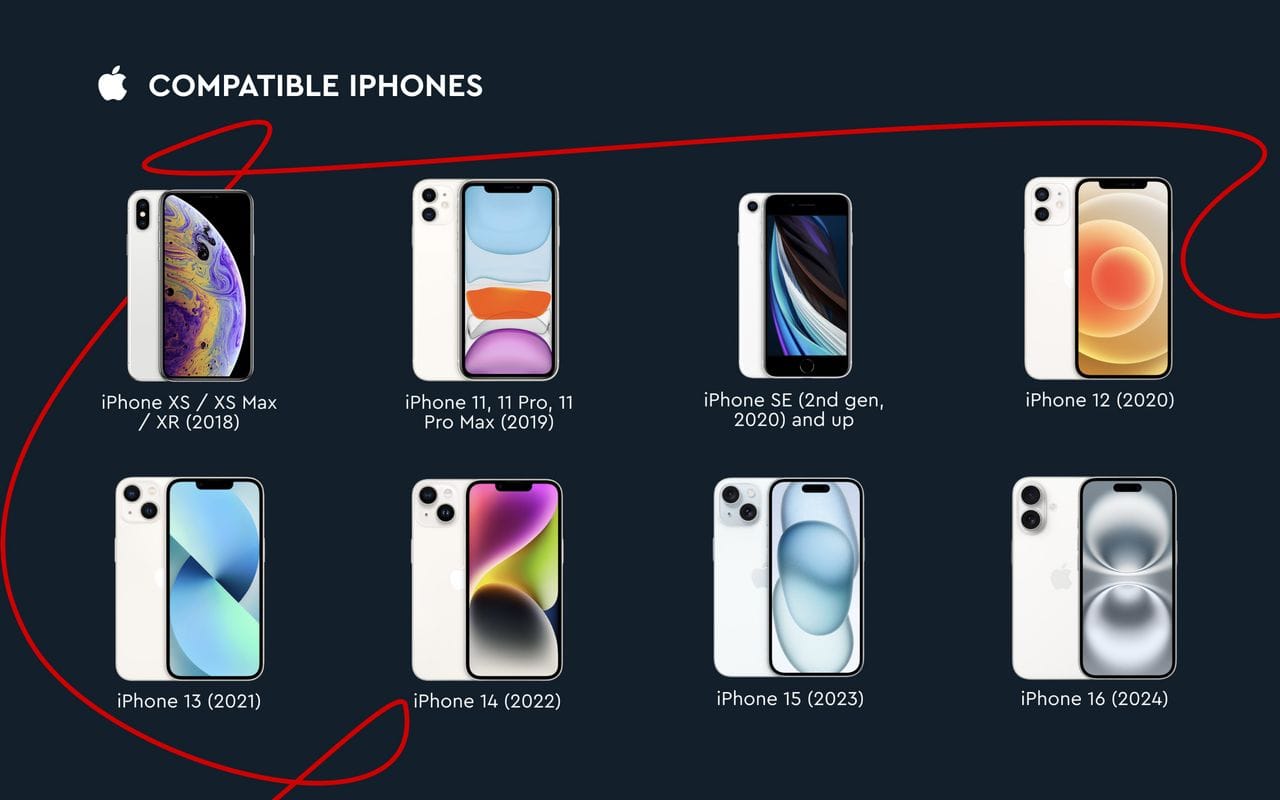
  • Compatible iPhones:

  • Most iPhones from the iPhone XR/XS onward support eSIM. That includes:
    • iPhone XR, XS, XS Max
    • iPhone 11, 12, 13, 14, and 15 series
    • iPhone SE (2nd and 3rd Gen)
    • All iPhones sold in the U.S. since iPhone 14 are eSIM-only
    2

How to Use an eSIM on Android

  • On Android, using an eSIM depends slightly on the manufacturer, but the process is similar:
    1. Purchase at RedDog.fish
    2. Get your QR code instantly
    3. Tap or scan QR to install
    4. Activate eSIM
    3

  • And you’re now connected via travel eSIM! If you still have questions, please visit our installation guide.
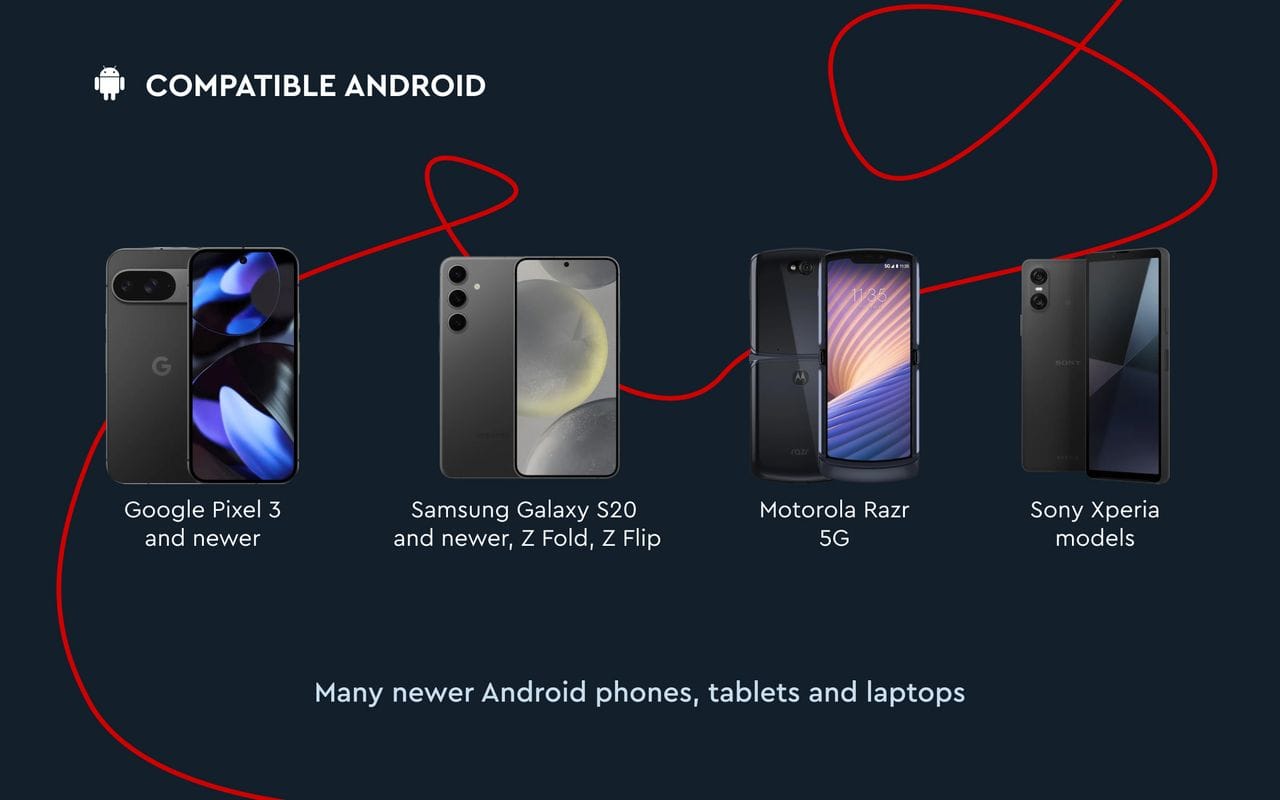
  • Phones That Support eSIM:

    • Google Pixel 3 and newer
    • Samsung Galaxy S20 and newer, Z Fold, Z Flip
    • Motorola Razr 5G, some Sony Xperia models
    • Many newer Android tablets and laptops
    4

Using an eSIM for Mobile Internet

  • RedDogFish travel eSIMs are designed for:
    • Travelers who need internet when they land
    • Remote workers who need reliable data abroad
    • Anyone who wants a second internet connection without switching SIMs
  • No phone number. No complicated settings. Just fast, flexible internet.
  • How to use a RedDogFish eSIM:

    1. Pay securely online
    2. Receive your eSIM via email instantly
    3. Scan and connect!

Common Questions About Using a Travel eSIM

    • Q: How do you use an eSIM if you already have a physical SIM card installed?

      A: You can use both at the same time! Just choose which SIM is used for data, calls, or texts in your settings.

    • Q: Can I switch eSIMs between devices?

      A: eSIMs are generally locked to one device. If you change phones, you may need to get a new QR code or reinstall. RedDogFish allows reinstallation — just contact support.

    • Q: How do I turn off or remove an eSIM?

      A: Go to your mobile settings, select the eSIM, and tap Delete or Remove Cellular Plan.

    • Q: What if I lose my phone with the eSIM?

      A: With RedDogFish, we can help you reinstall your eSIM on a new phone. Just reach out to our support team.

Summary: How to Use a Travel eSIM in 2025

Why Use a Travel eSIM from RedDogFish?

    • Works in 190+ countries
    • Instant setup via QR code
    • No contract, no hidden fees
    • Perfect for short trips, long stays, or mobile work
  • Whether you're wondering how to use an eSIM or how to use an eSIM in your iPhone, the process is simple — and RedDogFish makes it even easier.
  • 1

Ready to Use Your eSIM?

  • Getting started is fast, easy, and reliable with RedDogFish.
  • Buy your eSIM today and get mobile internet anywhere in minutes!

Read more

All articles
All articles