What an eSIM actually is
For decades, getting your phone onto a network meant sliding a small plastic card into a tray. An eSIM throws that ritual out. The "e" stands for embedded: the SIM is a chip built into the device at the factory rather than a card you pop in and out. So when people ask "how does an esim work," the short version is that your phone already has the hardware, and a carrier sends you the rest as software.
That distinction matters most when you travel. Switching networks no longer means hunting for a shop at the airport or keeping track of a card the size of a fingernail. You download a new profile, tap a few times, and you're on a local network. Apple put it plainly at its 2025 keynote, calling eSIM "so much easier to use" than a decades-old piece of plastic.
The embedded sim card model
Underneath the convenience is a fairly clever piece of engineering. The embedded sim card is soldered onto the phone's board during production, so it can't be removed or lost the way a nano-SIM can. Hardware engineers call it an eUICC, short for embedded Universal Integrated Circuit Card, and it's built on the same chip technology that runs traditional SIMs, according to the GSMA's embedded SIM specification.
The difference is what the chip can hold. A plastic SIM carries one carrier's identity and nothing else. The embedded sim card stores several carrier profiles at once and switches between them in software. A modern iPhone, for example, stores eight or more profiles and can use two lines at the same time.
This design is spreading fast. Giesecke+Devrient's Andreas Morawietz told the MWC 2025 eSIM Summit, "We have 2.7 billion eSIM-enabled devices" in the market. GSMA Intelligence forecast roughly 2.4 billion eSIM smartphone connections by the end of 2025, about a third of all smartphone connections. The hardware foundation still uses the same chip technology as plastic SIMs, with the identity on top now downloadable.
How does an eSIM work
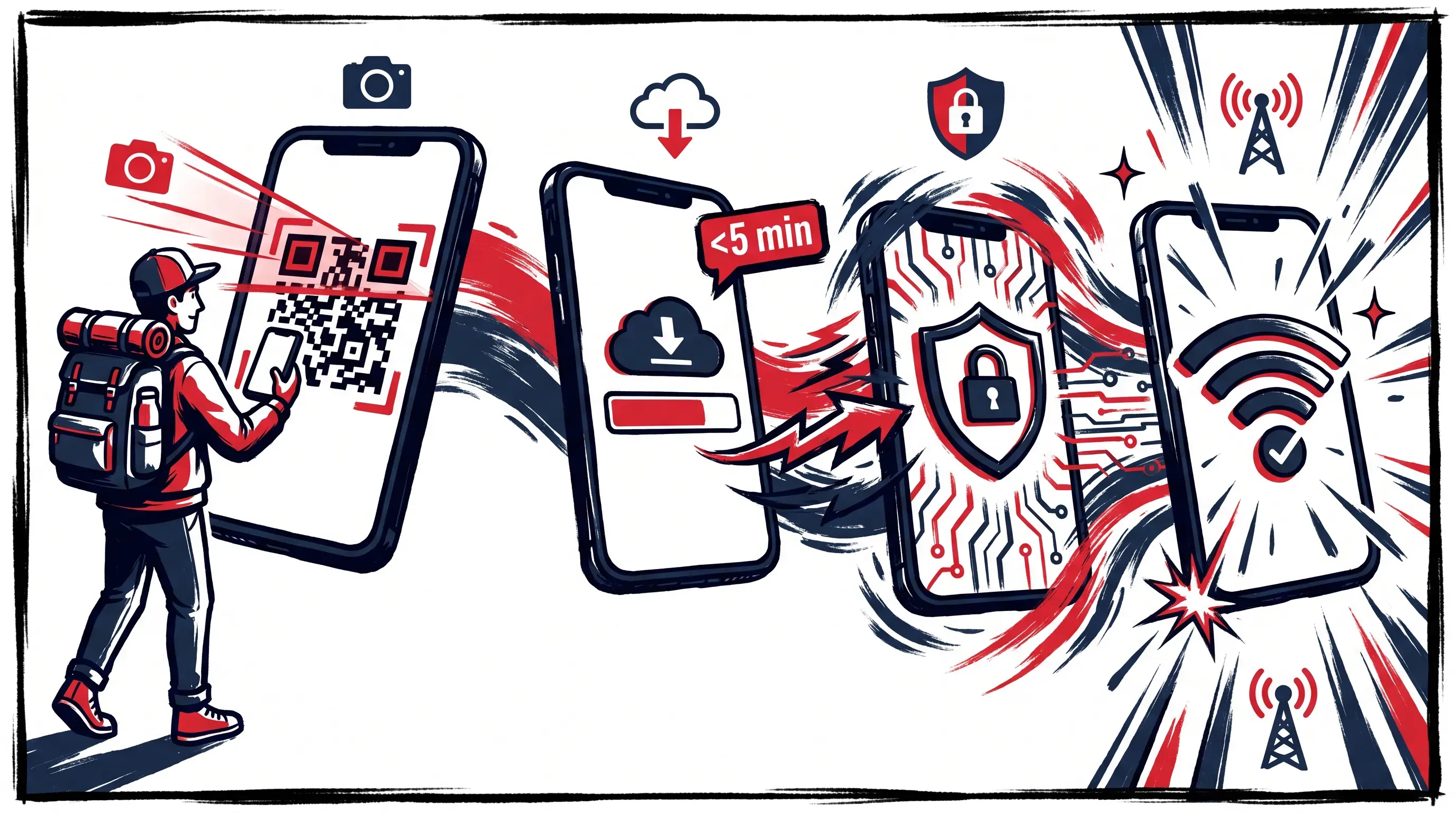
Here's where "how does an esim work" turns into something you can use. From plan purchase to signal abroad, the process has distinct stages, and each stage removes most of the confusion travelers run into. We'll take them in order, because how does an eSIM work is a question about a chain of steps rather than a single switch.
Downloading the profile
A carrier sends you a digital profile, usually as a QR code or through an app. When you scan that code, your phone reaches out to a secure server (the SM-DP+, in industry terms) and pulls down the profile over an encrypted connection defined in the GSMA's SGP.22 technical specification.
That profile is the digital twin of everything a plastic SIM used to hold. It contains the network credentials a carrier uses to recognize you, such as the International Mobile Subscriber Identity (IMSI), along with the keys that prove your phone is allowed on the network. The download replaces the physical act of inserting a card. Nothing slides into a tray, because the chip receiving the data is already inside your phone.
How you activate eSIM
After the profile lands, your phone installs it and registers it with the carrier's network. To activate eSIM, you confirm the install, give the line a label so you can tell it apart from your home number, and the network recognizes the credentials as valid. From that point the line is live.
Travelers appreciate the flexible timing. You can activate eSIM the moment you land or set it up days before departure for use on arrival. Either way, two things have to be true:
-
Your phone needs an internet connection to pull down and install the profile. With RedDogFish, you receive the QR code by email after payment, so most travelers scan and install it at home before the trip starts.
-
Your phone has to be carrier-unlocked, otherwise it won't accept a profile from a different network.
The install itself is quick. Most profiles install in under five minutes once the download completes.
Connecting to local networks
With the profile installed and registered, your phone authenticates with a mobile network the same way it always has. It presents the IMSI and runs a cryptographic handshake, the network checks that the keys match, and once that passes, data, calls, and texts start flowing through the line.
Abroad, the eSIM connects to a partner or local network through the travel carrier's agreement, so coverage feels native instead of your home plan's roaming. The phone treats this line exactly like a traditional SIM once it's live. Your apps don't know the difference, your maps load, and your messages send. The only thing that changed is that the identity behind it arrived as a download instead of a card.
Using an eSIM abroad
Crossing a border is where the whole point of the technology shows up. Travel data plans are scoped by country or region, so you buy coverage for where you're going rather than paying your home carrier's roaming rates. Standard carrier roaming rates can cost travelers significantly more than a local eSIM plan - which is exactly the bill a travel profile is built to avoid.
The clever bit is the dual-line setup. You can use one profile for your home number and another for travel data. Apple's own guidance explains that while abroad you can use a travel eSIM as a secondary line so the capabilities on your primary line keep working. As a result, your home number can still receive a verification text while your travel line carries data.
To make this work without an accidental roaming bill, the routine is straightforward:
-
Turn off data roaming on your home line so it can't quietly use data at foreign rates.
-
Turn on data roaming for your travel line, which sounds backward but is how the local profile reaches its partner network.
-
Set the travel line as your default for cellular data.
Apple has gone a step further with iOS 26; in supported regions, the software will automatically turn off your travel eSIM and switch your home line back on when you return. The profile stays on the chip either way, so a repeat visit can start from the existing profile.
eSIM versus physical SIM
Put the two side by side and the contrast is mostly about handling. A physical SIM is a single carrier on a single card that you swap by hand, and a lost card means a trip to a store. The embedded sim card holds multiple profiles, switches between them in settings, and never leaves the phone. When you want to activate eSIM for a new country, you do it from the couch instead of a kiosk.
Speed is the other gap. Swapping a physical SIM means powering down, finding the ejector tool you definitely packed somewhere, and hoping you don't drop the card into an airport seat. To activate eSIM, you scan a code and wait a couple of minutes. There's no tray, no tool, and nothing to misplace.
Compatibility is the trade-off, so check it before you rely on the technology. Not every phone supports an embedded sim card, and regional rules vary. Since the iPhone 14, all US models are eSIM-only with no SIM tray, while phones bought in mainland China historically lacked eSIM support until carriers there enabled it in late 2025. A plastic SIM works in almost anything, which is the one advantage it still holds.
Final thoughts
Strip away the jargon and how does an eSIM work comes down to one idea: a chip already lives in your phone, and a carrier sends the rest as a downloadable profile. In practice, how does an esim work? Your scan installs the profile, and the line authenticates with a network the same way a plastic card always did. The convenience is real, and so is the catch. Before you count on an eSIM for a trip, confirm your phone supports an embedded sim card and is unlocked, because that's the one detail that decides whether you can activate eSIM at all.
The technology behind the question "how does an esim work" rewards planning, and that's where we come in. With RedDogFish, you pick your destination and set your days and data with two sliders; after payment, your eSIM arrives by email to scan and install before you fly. Build your own travel plan at RedDogFish and land already connected.