Why eSIM matters for travelers
An eSIM is a SIM card built into your phone instead of a piece of plastic you slot into a tray. You download a mobile plan onto it by scanning a QR code, and your phone connects to a local network without any physical swapping. That single change is why esim supported phones have become the easy answer for staying online abroad. No tiny tray pin, no fumbling at a counter in a language you don't speak.
For international travel, the appeal is practical. You can buy and install a plan at home, then land with data already working before you've cleared passport control. That means you avoid the airport SIM kiosk and the painful roaming bill from your home carrier, while your usual number stays active for calls and texts. Roughly 15% of travel connectivity already runs on eSIMs, according to Airalo's Bahadir Ozdemir, and that share keeps climbing.
Here's the catch. Only compatible handsets belong among esim supported phones. So before you pay for any travel plan, the first job is checking your own device, and that's what the rest of this guide handles.
How to check if my phone supports eSIM
The good news is that checking takes about two minutes and costs nothing. You don't need to call your carrier or visit a store. Everything lives inside your phone's settings, and the answer is a simple yes or no once you know where to look.
Do this before you buy a travel data plan. A plan tied to a phone that can't run it is wasted money, and refunds are a hassle nobody wants on day one of a trip. The steps differ based on whether you carry an iPhone or an Android device, so jump to the section that matches your phone.
Check eSIM on iPhone
On an iPhone, open Settings and go to General > About. Scroll down and look for an entry labeled "Available SIM" or an EID number. The EID is a long string of digits unique to the embedded SIM hardware. If you see it, your iPhone has eSIM hardware and you're good to go.
Apple introduced eSIM in 2018 with the iPhone XS and XR; the XS Max was part of that launch as well, and all required iOS 12.1.1 or later. Anything newer than that supports it too. In 2022 Apple dropped the physical SIM slot entirely on US iPhone 14 models, so those are eSIM-only.
There's a faster check if you'd rather skip the menus. Open the Phone app and dial *#06#. Your screen returns several identifiers, and dialing *#06# shows your EID alongside your IMEI. No EID listed means the hardware isn't there, which points to an older model or a region-specific version. If you're still asking how to check if my phone supports esim after all that, the EID is your single source of truth.
While you're in About, glance at the "Carrier Lock" line too. You want it to read "No SIM Restrictions", which means the phone isn't locked to your home carrier and can accept a travel eSIM.
Android eSIM compatibility
For android esim checks, the path varies by manufacturer, but the idea is the same. On most phones, open Settings, then look under "Network & internet" or "Connections" for an option to add a SIM or add an eSIM. If you see "Add eSIM" or "Download a SIM instead," your phone supports it.
The surest confirmation is the EID, same as on iPhone. Go to Settings, then About phone, then scroll to find the EID number. Its presence is the clearest sign your android esim hardware is real and ready. On a Google Pixel or Samsung Galaxy, the dial code *#06# also surfaces the EID if the menu route feels fiddly.
Why the variation? Android covers hundreds of models across dozens of brands, so android esim support is less uniform than Apple's. A flagship Samsung or Pixel qualifies as one of the esim supported phones; for a budget device or a model built for one specific market, the EID check decides. That inconsistency is exactly why people keep searching how to check if my phone supports esim for Android rather than assuming. Don't assume. If you can find the EID, you're set. If you can't, the phone won't run a travel eSIM no matter how new it looks.
What affects eSIM compatibility
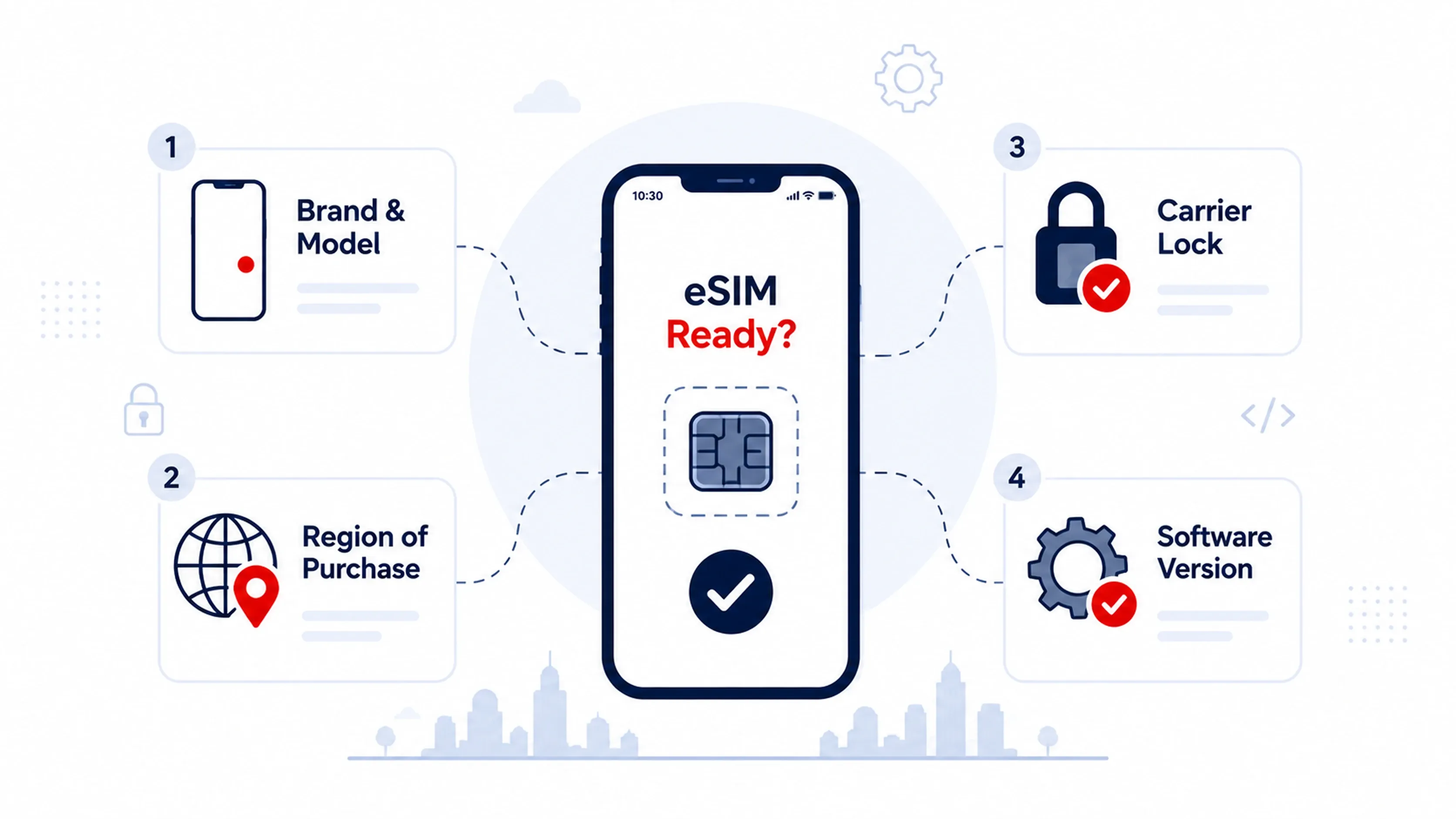
A recent phone is not an automatic yes for esim supported phones, which trips up a lot of travelers.
Four factors decide whether your device actually works with a travel plan:
-
Brand and model: support started at different times for each maker, and some entry-level lines skip the hardware to cut costs.
-
Region of purchase: the same model name can ship with different internals based on the country of sale.
-
Carrier lock: a phone tied to your home network can refuse a foreign eSIM until it's unlocked.
-
Software version: an outdated operating system can block setup even when the hardware is present.
Region of purchase is the trap that catches people off guard. Apple states plainly that you cannot use an eSIM from a China mainland carrier on a device bought outside China, and iPhones sold in mainland China use a dual physical SIM tray instead of eSIM hardware. Pixel phones have their own quirk, with models purchased in Japan or from certain US carriers shipping without working eSIM support. So eSIM support differs by country, even with an identical name on the box.
The carrier lock is the other common blocker. If your phone is locked, it connects only to your home network, which defeats the point of a travel plan. To check on iPhone, confirm that the "Carrier Lock" line in Settings says no restrictions. On a Pixel or Samsung, toggle off "Automatically select network" under network settings; if only one carrier shows up, your phone is locked. One call to your carrier fixes it, though some require your account to be paid off first.
Common eSIM supported phones
Here's a quick reference of widely carried esim supported phones so you can match your device at a glance. Use this list as a starting point. The checking steps above remain the real confirmation, because region and carrier lock can override anything a list tells you.
-
Apple: iPhone XS/XR generation onward, with the SE second generation and the iPhone 14, 15, 16, and 17 lines
-
Samsung: Galaxy S20 through S25, the Note 20 series, and the Z Fold and Z Flip foldables
-
Google: Pixel 3 and later, with the 4, 5, 6, 7, 8, and 9 ranges plus the Pixel Fold
-
Other makers: Motorola Razr (2019 onward), Huawei P40 and Mate 40, Sony Xperia 1 and 10 lines, Oppo Find X3 and newer, and select Xiaomi 12T Pro and later models
Apple's range is the most consistent, since every iPhone from the XS forward carries eSIM hardware. The Galaxy S20 was Samsung's first flagship with consumer eSIM, and Google has built it into Pixels since the Pixel 3 in 2018. If your phone is on this list and the EID check passed, you're ready for the next step.
Get a travel eSIM with RedDogFish
Once your phone clears the check, buying data is the easy part. With RedDogFish you pick your destination and use sliders to set how many days you'll be there and how much data in GB you want. After you pay, the eSIM arrives by email with a QR code you scan to install it. No fixed bundles, no paying for a week when you only need three days.
That flexibility is the point. You build the plan around your trip instead of squeezing your trip into someone's preset package, and the eSIM is ready before you leave home so there's nothing to sort out on arrival.
You've confirmed your phone is one of the esim supported phones, so the last move is simple. Check your destination's coverage on RedDogFish and install your eSIM before you fly, with your days and data set to match the trip.